








A beginner's guide to testing AI agents

Contents
Software testing used to be relatively straightforward.
You wrote business logic, defined expected outputs, and verified them with unit, integration, and UI tests. With the same input, your system behaved the same way every time.
AI agents changed this.
Instead of fixed logic, we now build systems powered by models that are probabilistic. The same input can produce different outputs. Behavior depends on prompts, context, tool calls, and external data. The "correct" answer is fuzzy.
And yet, many teams still try to test AI agents the old way, or worse, not at all. Manual testing and bug reports quietly become the default.
The good news is that testing hasn’t become impossible, it’s just changed. Like before, there is a way to systematically test and improve agent behavior. It just requires a different mental model.
In this post, we’ll walk through what testing AI agents well looks like by following the life of an agent, from first build to production and beyond.
The birth of the agent
It all begins with the classic "Hello World", though now it's wrapped inside an SDK for creating agents, and we're not greeting the world, but rather being a helpful assistant.
Testing at this stage is manual. You work hard to tweak that system prompt, choose the right model, and change the available tools and their descriptions until the agent successfully completes your happy paths and edge cases. It's just you and the agent locally battling back and forth.
Once you're ready, you ship your agent to production and start rolling it out to your users.
Reproducing bugs from your agent's first users
How you tested the agent locally is a lot different than how people use it in production, and that leads to issues.
Fixing an issue starts by replicating it, attempting a fix, checking whether it is solved, and repeating. This works well, but it has a requirement: being able to reproduce the issue. This isn't hard in theory because you just need to feed the same input to the agent, but the reality is not so kind:
- The agent loop often makes multiple tool calls to fetch or mutate data
- You don't have the same data in your local environment as you do in production
- You don't really know which data was requested or received by the agent
Capturing this reality requires an observability tool for your agent. That way, when a user complains about something, you can pinpoint the exact agent interaction that led to that complaint. As an added benefit, you can now proactively check every trace your agent generates and see what you can improve.
PostHog's LLM analytics is one way to build that observability layer.
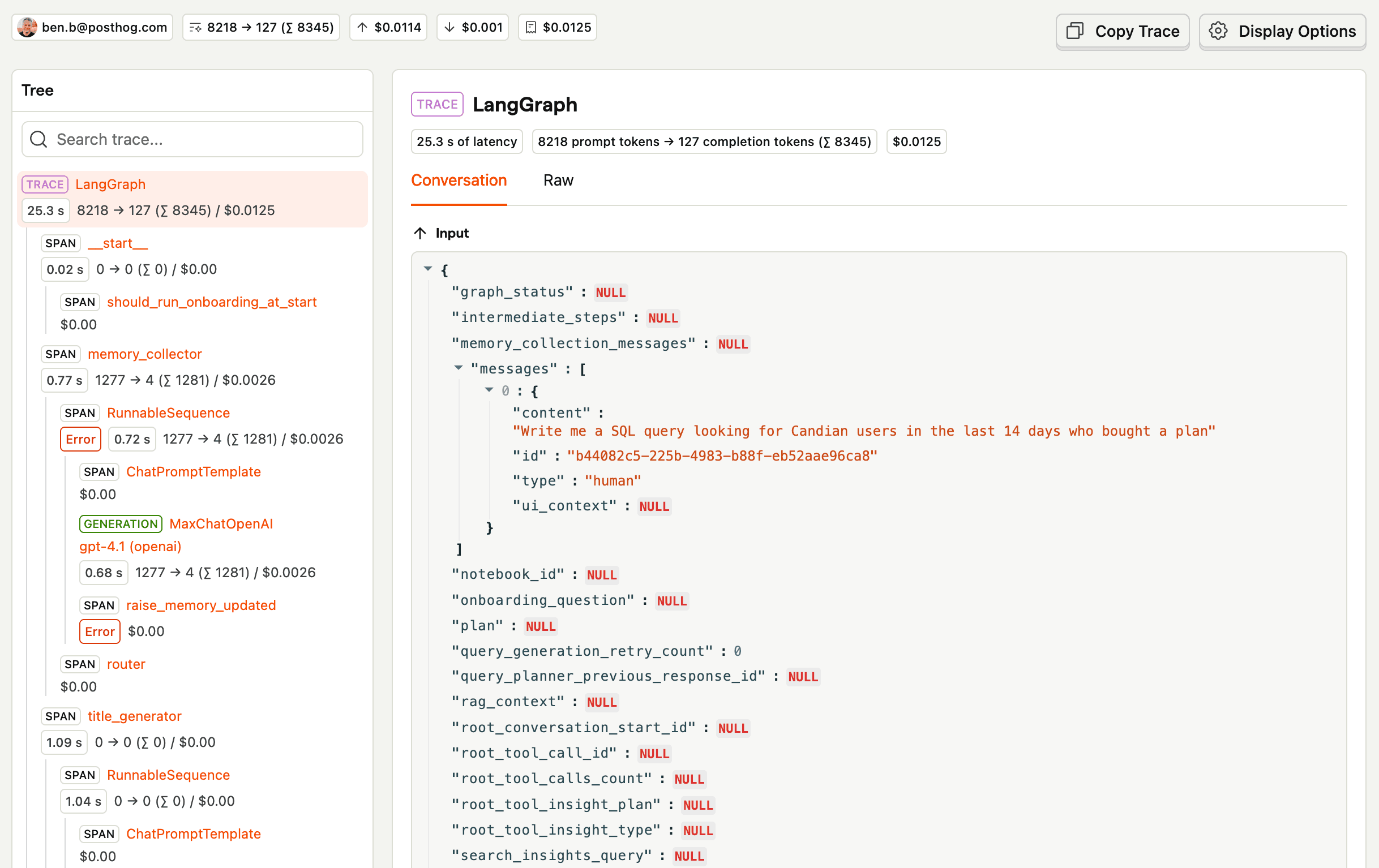
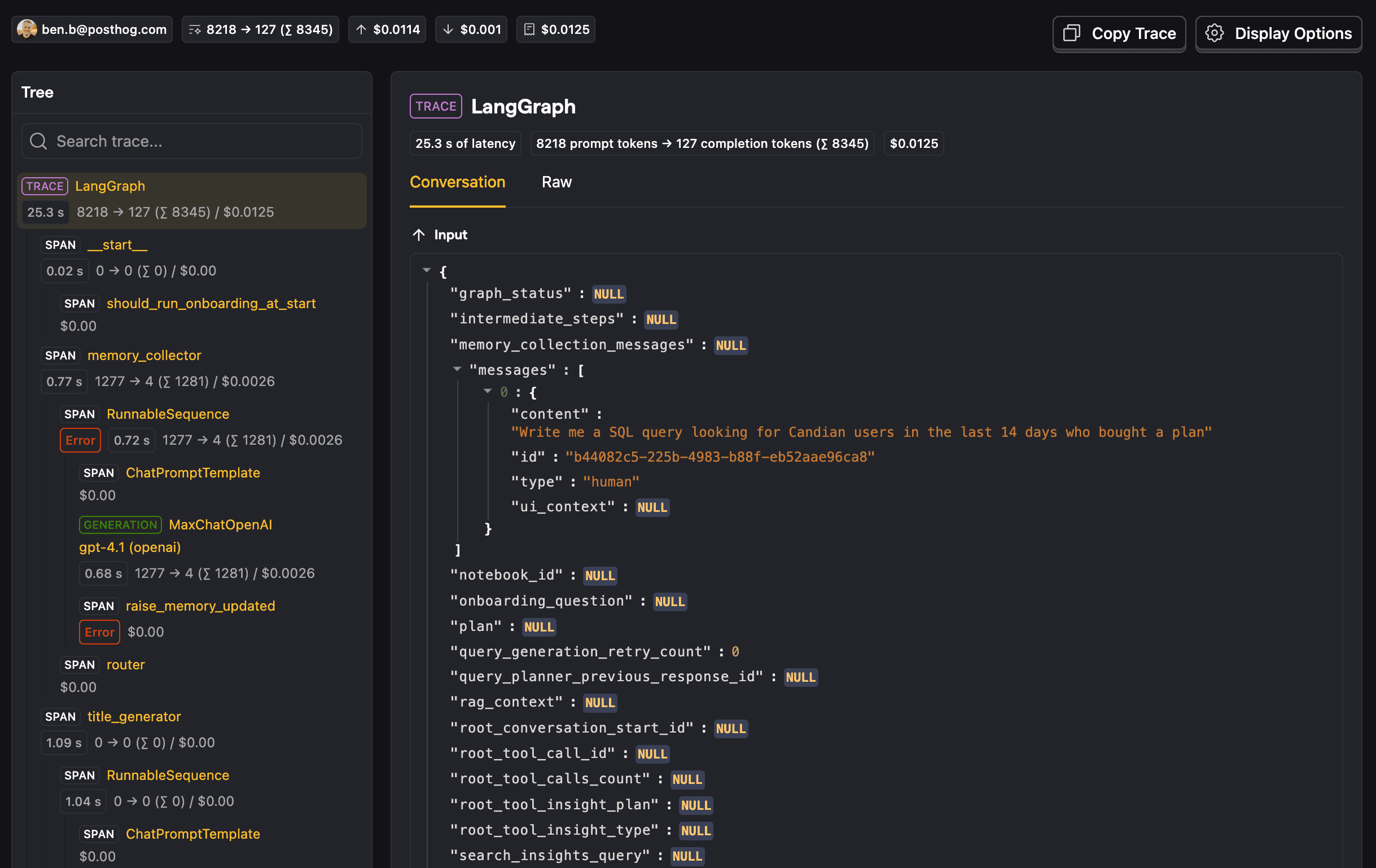
With the tracing mechanism the observability tool provides, you can now see how your agent is behaving in the wild. You find bugs proactively and fix them before users start complaining about them. There is, however, a big caveat: you now spend a lot of time looking at traces.
Your agent gets popular, tests get automated
You have built an agent that is useful to many users, and while this is great, you want to win back some time from reactively fixing bugs to proactively preventing them.
You also find yourself causing bugs that you had previously fixed. It is now time to find a better way to detect regressions so you can confidently fix new bugs and ship new functionality for your agent.
You think back to what you know about software testing and remember integration tests, where you spin up a whole service locally, make an HTTP request to the endpoint you're testing, and then check the response and perhaps some other state, such as the database. We can test our agent in a similar way.
If we think of our agent like an endpoint, it takes an input and returns an output, with many things potentially happening in the middle of the agentic loop. The difference here is that a typical endpoint is deterministic in its response, whereas an agentic loop is not. For this reason, we can't have the same expectations in our tests.
So, given this non-determinism, what kinds of things can we expect or evaluate?
Deterministic evaluators
Even though our agent is non-deterministic, you can set up deterministic evaluations. You give an agent an input, have it generate the output, and evaluate that output. Example evaluations include:
- A specific tool call was made, for example a web search
- A set of forbidden keywords were not used in the output, think bad words or competitors
- The number of LLM calls made in the loop does not surpass a threshold
- The output is similar to the expected output, for example by using Levenshtein distance
- No error was raised
- The output of the assistant has a neutral tone, for example through traditional sentiment analysis
Non-deterministic evaluators
There are more subjective cases where you can't capture what you're trying to evaluate in a piece of code. As a human, you could immediately tell whether a set of inputs and outputs pass the criterion, but you can't write test code to capture that reasoning.
For such complex cases, we can use an LLM to act as an evaluator. This is known as an LLM-as-a-Judge, and with it, we can capture things like:
- The agent addressed the user's query
- The agent responded with offensive or unsafe content
- The agent failed to protect itself against a jailbreak attempt, for example through prompt injection
- The agent leaked personally identifiable information when it shouldn't have
The possibilities for LLM-as-a-Judge are theoretically infinite. The danger of this type of evaluator is that it is also not deterministic and could return different results for the same set of inputs and outputs. The test is also sensitive to changes in the judge model. For these reasons, the LLM-as-a-Judge prompt needs to be properly built to remove as much ambiguity as possible.


The prompt should be specific about what it is evaluating. It should contain a couple of simple examples that capture different gotchas, if possible. Finally, it is preferable to return a boolean representing the test success instead of a range of numbers, since it reduces ambiguity and leads to a clearer set of test results.
LLM-as-a-Judge evaluators have a higher cost than deterministic code-based evaluators because they require an LLM call. For this reason, it is better to use code-based evaluators whenever the test case can be captured through them.
Creating an evaluation suite
After learning about the types of evaluators that can help you test your agent, similar to how you used to write integration tests, you now write multiple evaluation suites, with a mix of code-based and LLM-as-a-Judge evaluators. You cover your happy paths as well as edge cases and some of the bugs you've been fixing over the past little while.
Now, every time you make a change to your agent, you can run the agentic loop and regenerate all the outputs with instances of your database and everything else running locally. This feeds into the code-based and LLM-as-a-Judge evaluators and gives you a report of the evaluation results.
You then realize that running these locally means trusting that everyone to do that before shipping changes, but as with unit tests, we don't leave it to chance. You add a pipeline step in your CI to run all of these evaluation suites. You can, and probably should, limit which PRs these evaluations are run for. If there are no changes in the agent code it's not worth spending money on LLM tokens to run the evaluations.
There are many open-source libraries that pack great evaluators like Levenshtein distance that you can use. These kinds of evaluations are not run on live production data and so are called "offline" evaluations. PostHog is also starting to support this workflow for better tracking.
That still leaves one major problem. We now have tests for our agent, just like we do for typical software, but there is a caveat: the input space for what can go into our agent is effectively infinite, yet we are only testing a subset of it.
Embracing the infinite possibilities of your agent
The offline evaluations we run while developing our agent only capture the inputs we have defined in our tests. In reality, users can input a near-infinite range of possibilities. We need a way to capture those inputs, check the equivalent outputs, and run our evaluators on them too. This type of evaluation that runs on production traces coming in is known as "online".
Running your evaluators on all production traces sounds expensive, because it is, especially if you depend on LLM-as-a-Judge evaluators. This is why it's important to use code-based evaluators where possible. At PostHog, code-based evaluators for online evaluations use Hog. You can't, however, only depend on code-based evaluators, so you can also:
- Use a cheaper LLM-as-a-Judge model that can still capture the intricacies of what you're evaluating
- Filter the traces on which you run certain evaluators, for example by feature
- Only run the evaluator on a sample of your production traces, we recommend 5-10%, which should give you a representative random sample
Once your evaluators are running on live production data, you can either review failing traces on a regular cadence or set up alerts via something like PostHog Workflows for more critical evaluation failures.
Now we have evaluators running offline during development and online in production. That gets us much closer, but one gap still remains. While you now cover the infinite space of inputs, you still only evaluate the things that you have defined as evaluators. You're probably missing many evaluators that you haven't thought about.
Building evaluations by manually reviewing traces
Our set of evaluators needs to evolve over time. We need to tweak evaluators when needed, but more importantly, we need to add new evaluators over time to catch more potential problems and protect ourselves against regressions. If we were simply able to think hard enough about which evaluators we are missing, we could have defined them already.
We sort of go back to the beginning for this by manually reviewing traces. By now, though, we have too many to look at all of them, so we need an efficient way to create a strong set of traces to review, and create new evaluators from.
Here are a few ideas:
- Create a thumbs up/down feedback system so your users can flag bad interactions, and look at the traces that have received feedback
- Look for error spikes and the traces that have those errors
- Look at traces that have been flagged as problematic via a support ticket
- If you've shipped a new feature, look for traces that are using that feature, for example by looking at the traces that have called a specific tool belonging to that feature
- If your LLM observability platform supports it, look at traces that have a negative sentiment associated with them
- Also if supported, look at outlier traces or small clusters from the clusters generated for your traces
The PostHog teams working on AI features and agents have a weekly ritual called Traces Hour, where they look at and review traces that have been marked for review throughout the week. They come from all the sources listed above.
PostHog also has Reviews and Review Queues, which help you build these lists of traces and review them one by one.
Going through this process will help you and your team find new bad interactions and bugs to fix, which in turn leads to the creation of new evaluators to prevent regressions and detect other user inputs that still fail after your fix is live.
Testing agents isn't one size fits all
Testing agents is not about finding one perfect benchmark that proves your system is good. It is about building a feedback loop.
First, you observe real behavior with tracing. Then you turn the failures you see into offline evals you can run during development. Next, you run online evals on sampled production traffic so you can catch the problems your curated datasets miss. Finally, you keep reviewing real traces, because manual review is where the next generation of evaluators comes from.
That matters because you are never going to cover every possible input. You cannot. The goal is not perfect coverage. The goal is to make sure every bad interaction teaches your system something permanent. Manual review finds the issue. An eval makes it repeatable. CI and production monitoring stop it from quietly coming back.
If you are just getting started, you do not need a huge eval platform on day one. Start with tracing, one small dataset built from real user queries and recent bugs, one or two cheap code-based evaluators, one LLM-as-a-Judge evaluator for a subjective criterion, and a regular trace review ritual. That is enough to move from testing your agent by vibes to operating a real quality system.
PostHog is an all-in-one developer platform for building successful products. We provide product analytics, web analytics, session replay, error tracking, feature flags, experiments, surveys, LLM analytics, logs, workflows, endpoints, data warehouse, CDP, and an AI product assistant to help debug your code, ship features faster, and keep all your usage and customer data in one stack.